Jupyter Client for iOS
Juno Connect
Juno Connect is a Jupyter client, which lets you connect to a remote Jupyter server or cloud-computing service, such as CoCalc or Binder, and do everything you can do on desktop, anywhere — from your iPad or iPhone.
Download on the Apple Store
BYOS (Bring Your Own Server)
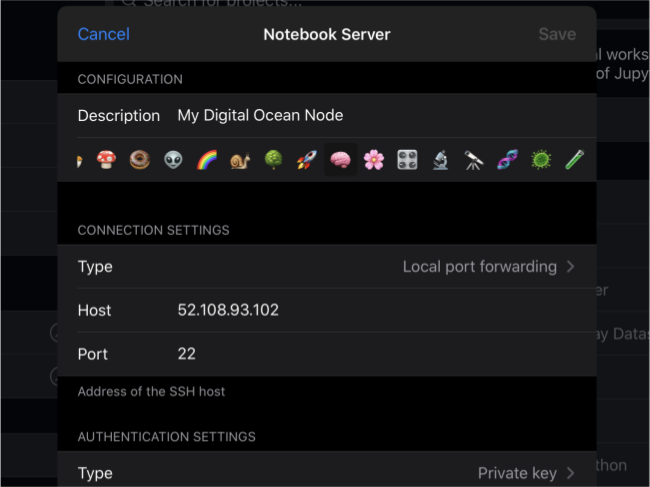
Use Juno's notebook editor with your own Jupyter server as a computational backend — either by connecting directly via HTTP/HTTPS, or by establishing an SSH tunnel and using SSH port forwarding.
Integrated services
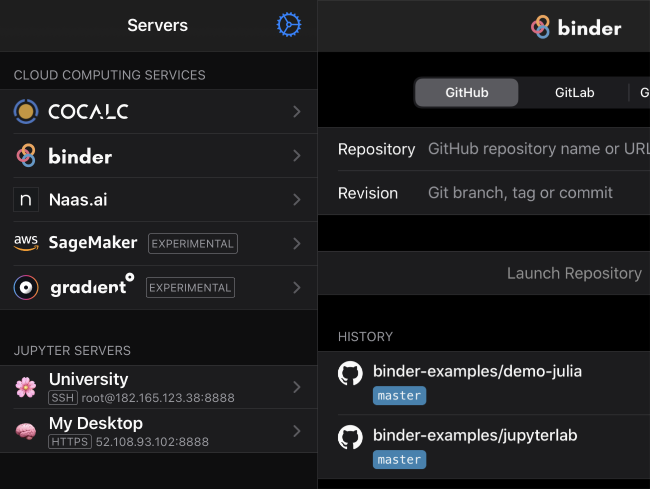
Connect to cloud-computing services based on Jupyter — such as CoCalc and Binder — and access your notebooks through Juno Connect.
Full-featured notebook editor
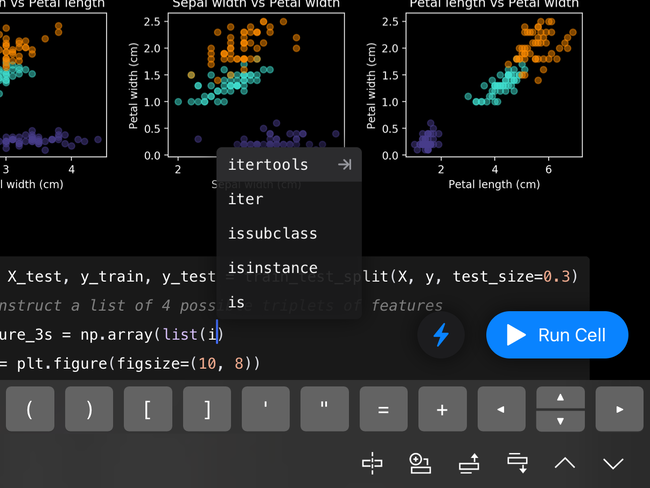
Juno's notebook editor is fully optimized for iOS: it supports Dark Mode and Dynamic Type, offers extended on-screen keyboard and works beautifully with all hardware keyboards and trackpads.