Juno 4.3: games, emulators and new packages
Juno 4.3 is a huuuuge update, spearheaded by games—though they’re far from the only interesting thing in it! But yes, Juno now comes with pygame, together with eight complete games, three retro emulators and a working turtle graphics library (all using the same drawing backend under the hood, which is what made all of them possible at once).
But there’s another half to the 4.3 release: more than twenty newly bundled packages, led by two long-standing requests, Polars and DuckDB; notebooks that now open as real editable tabs inside projects (including multiple notebooks at once!); and a gorgeous (and highly customizable) Home screen.
Games, built with pygame
Juno now bundles pygame, so you can make games in Python with touch controls, sound and smooth full-screen graphics—and then play them on the very same device you built them on!
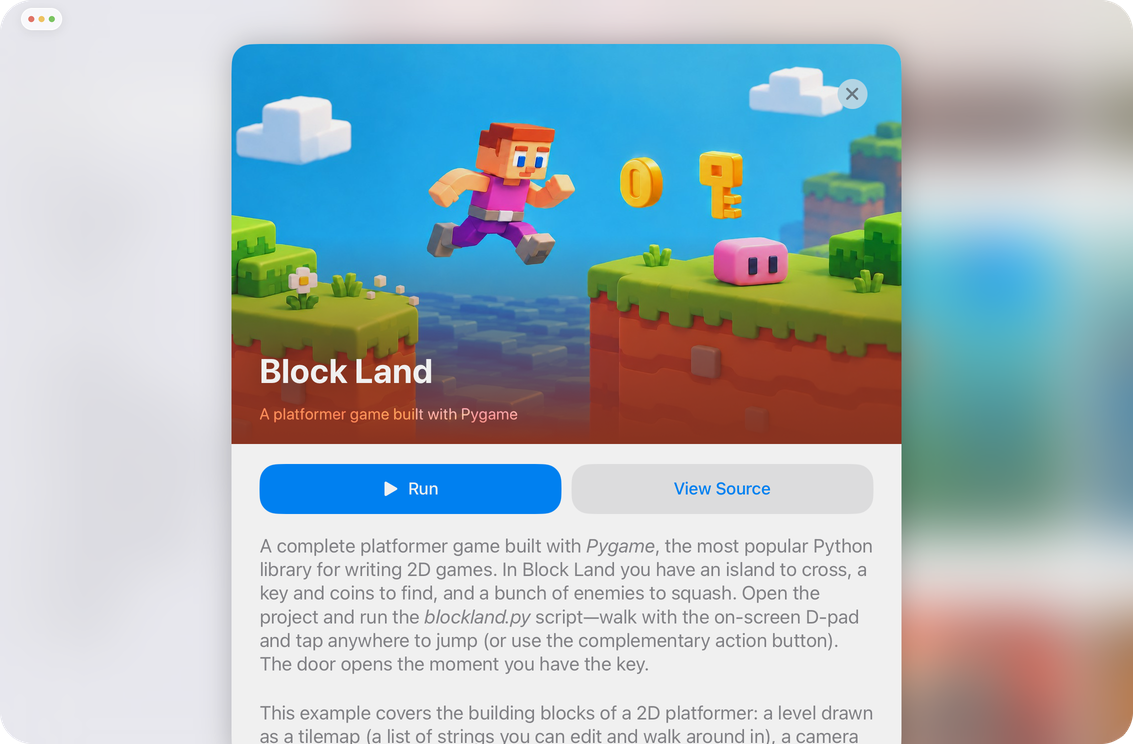
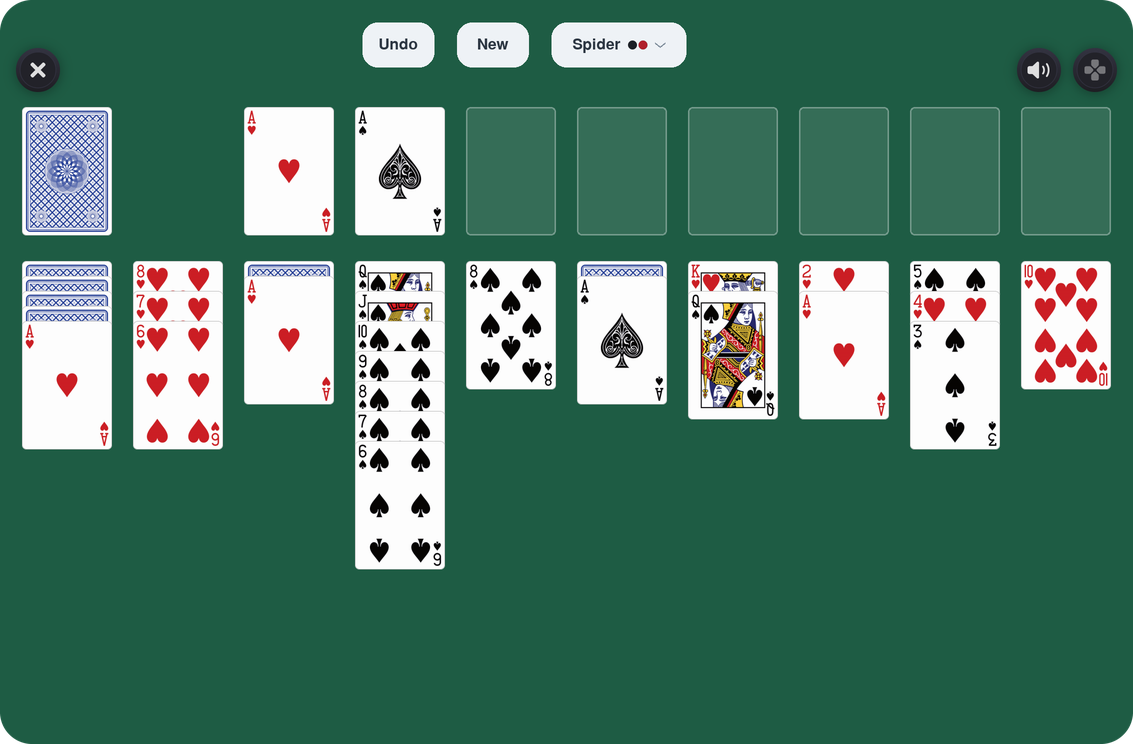
Eight complete games ship in the Examples folder: Breakout, a brick-breaker; Snake, the arcade classic; 2048, a sliding-tile puzzle; Flappy, a one-tap flyer and a Flappy Bird clone; Birdle, a word-guessing game; Match-3, a gem-swap puzzle; Solitaire, six card games in one; and Block Land, an island-hopping platformer. Not demos or fragments—finished games you can waste countless hours playing! Which I definitely haven’t done while working on them.
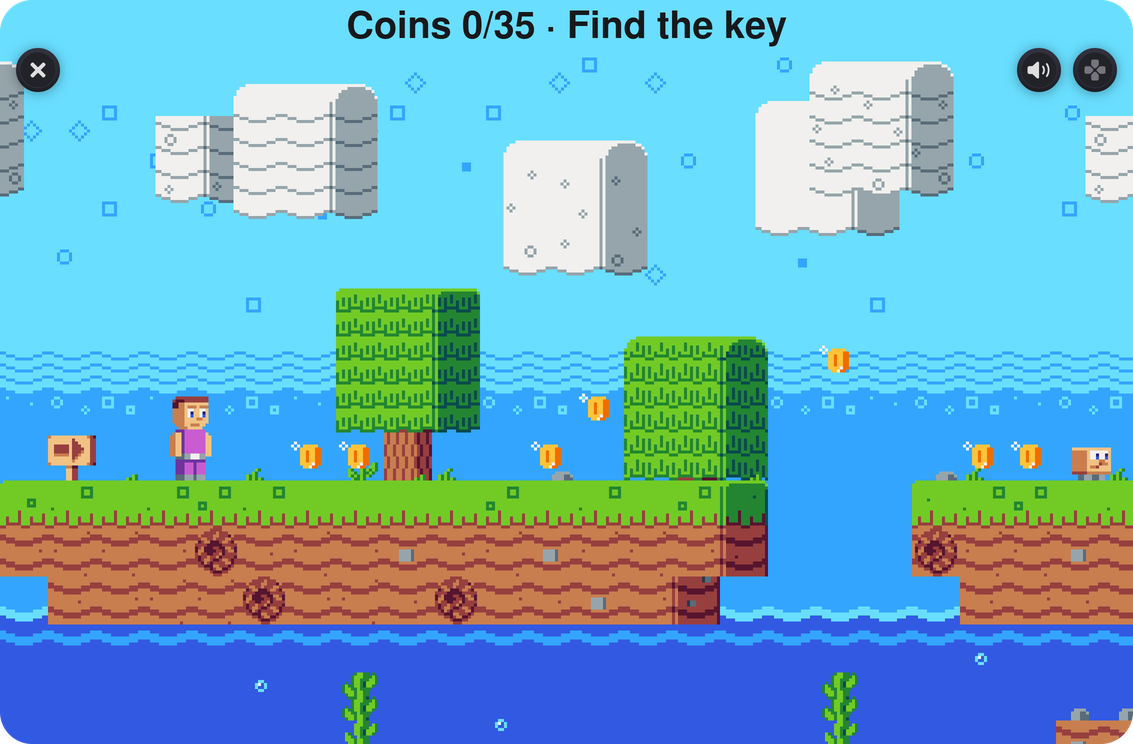
Each game is its own standalone project in the Examples folder that you can run, open and read the source of. They vary in size, too: Snake and Flappy are relatively small and read end to end in a sitting, while Solitaire, which packs six different card games into one, is a proper afternoon.
Three emulators, written in Python
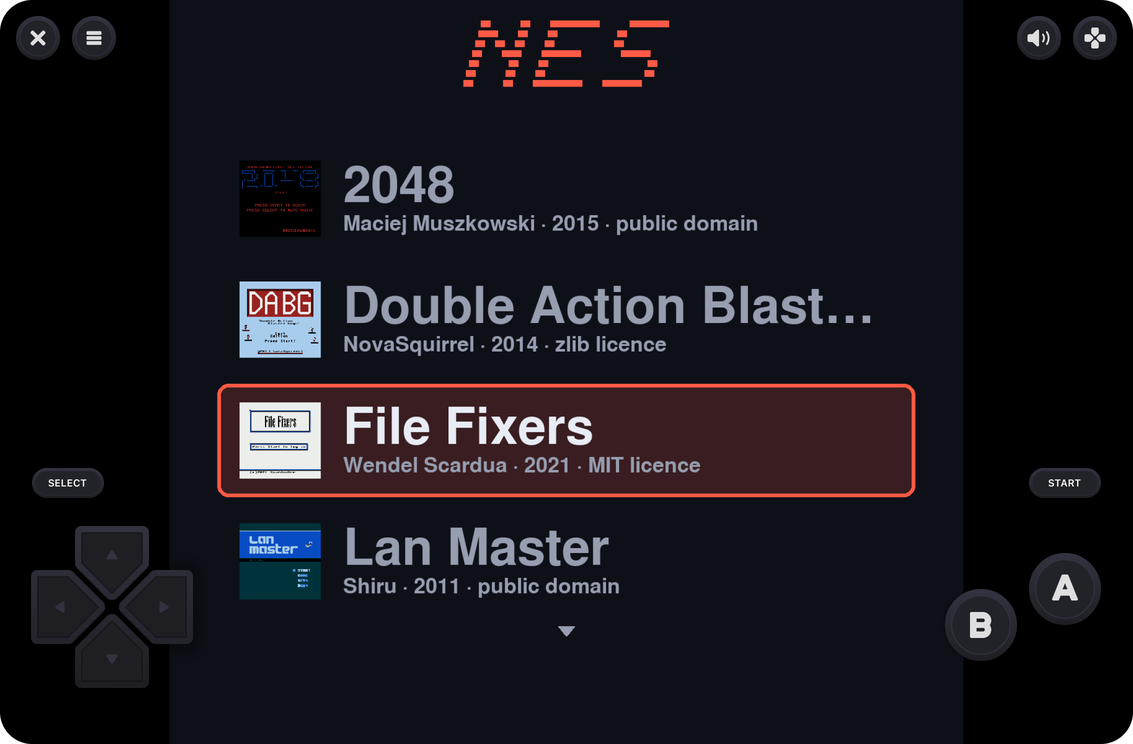
Now that Juno has a drawing backend, a couple of interesting new avenues opened up—retro game console emulators, for example. Juno comes with emulators for NES, Game Boy and CHIP-8, and all three use pygame as their drawing engine. Each has a launcher and its own library of freely licensed homebrew games (twenty-five in total), so there’s something to play the moment you open it—and you can also use your own ROM files, of course.
Turtle, out of the box
import turtle now works on iPad and iPhone with nothing to install—no tkinter involved, since Juno wires in its own turtle backend based on pygame. The drawing appears in the same full-screen window the games use, with a Close button to step back out. A Turtle starter project ships in Examples as well: twenty-five short scripts, one idea per file, ordered for reading—shapes, loops and functions, text and so on. Turtle has been the classic first program for decades, and it’s a lovely one to have on a device you can hand to a beginner.
The packages you asked for
Polars and DuckDB are here, both native iOS builds, both long-standing requests. So are scikit-image, Biopython, XGBoost, LightGBM, PyCryptodome, pypdfium2 and z3-solver. Underneath those sits a set of smaller but genuinely useful additions: msgpack, zstandard, brotli, sounddevice and a few others. Since they ship inside the app, there is nothing to download: they’re already in the package manager’s list, ready to import.
A new Home screen
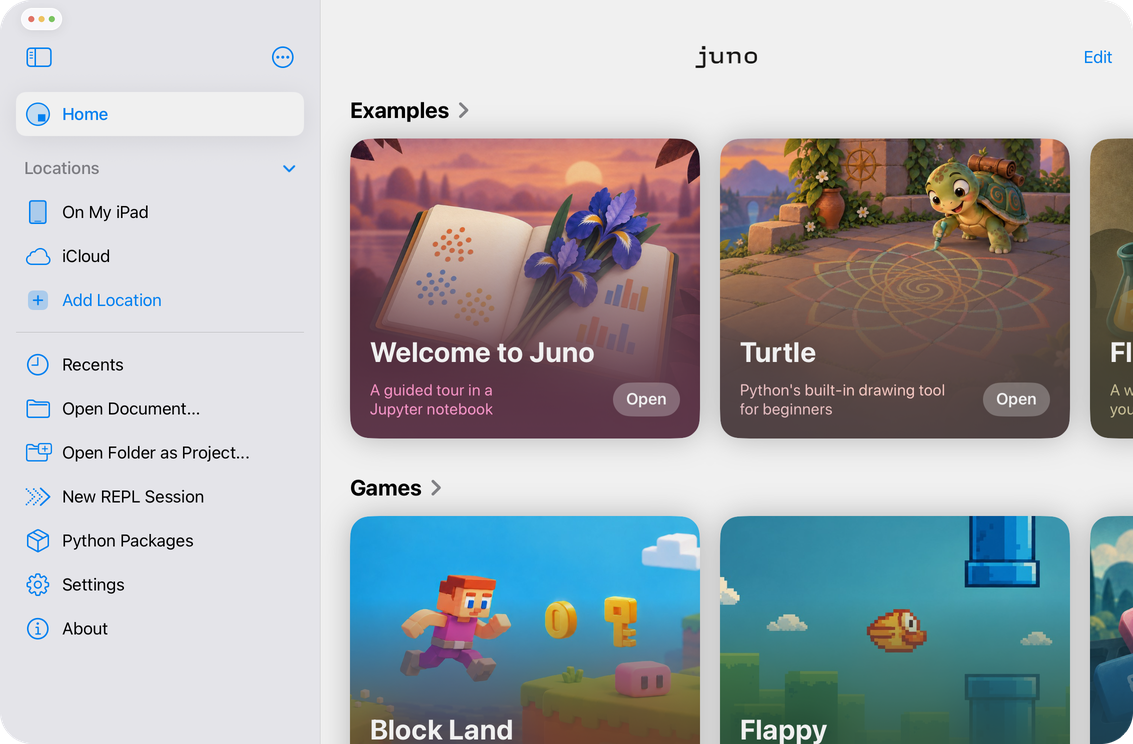
Juno now opens on a Home screen: a launcher with sections for the bundled Examples, Games and Emulators, alongside your recent documents and projects, and your disk locations—plus quick actions for opening a document or a folder, starting a REPL session and managing packages. Sections can be reordered or hidden if the default arrangement isn’t the one you want.
Notebooks in projects
Jupyter notebooks inside a project now open as live, fully editable tabs, in place of the read-only preview they used to get. Each notebook runs its own kernel, started in the project’s folder, and you can even run several notebooks side by side now! The Object Inspector keeps track of all of it: a pinned Project section first, then one collapsible section per notebook tab with a live kernel, so every notebook’s variables are visible alongside the project’s own.
Learn more here: Working with Python scripts and projects
And more
URLs printed to the console are tappable now, and open in a new in-app browser tab—so a script that starts a dev server prints its address and you can simply tap to open it. Preview tabs can now be expanded from projects too, audio interruptions are handled properly, and Markdown files are much easier on the eye with improved formatting and syntax highlighting. And underneath it all sits the usual long tail of stability and reliability improvements (and I’m not just saying that!).
Juno 4.3 is out now on the App Store. If a game misbehaves on your device, or one of the new packages doesn’t do what you expected, or something doesn’t look right, please reach out via the issue tracker or ping me at [email protected].