Layout
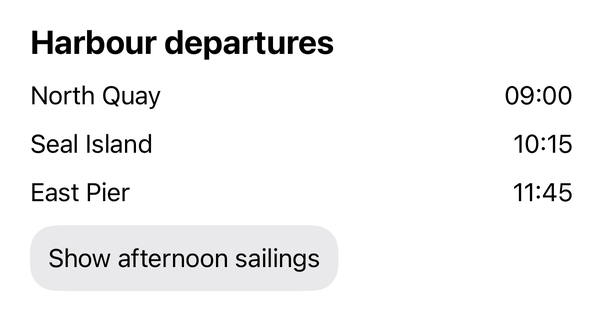
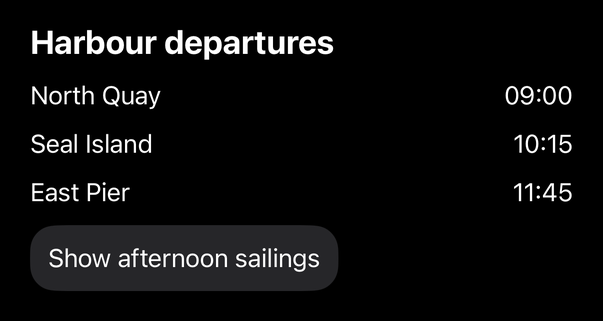
Use stacks to arrange the native interface your Python script shows. For a ferry timetable, put the sailings in a column and keep each destination and time on one line.
"""Ferry departures with the crossing time beside each destination."""

from dataclasses import dataclass

from juno import ui


MORNING = [("North Quay", "09:00"), ("Seal Island", "10:15"), ("East Pier", "11:45")]
AFTERNOON = [("West Quay", "13:30"), ("Seal Island", "14:45")]


@dataclass
class State:
    show_later: bool = False


state = State()


def toggle_afternoon():
    state.show_later = not state.show_later


def body(s):
    sailings = MORNING + AFTERNOON if s.show_later else MORNING
    rows = [ui.HStack(ui.Text(place), ui.Spacer(), ui.Text(time),
                      key=time, width="fill") for place, time in sailings]
    return ui.ScrollView(ui.VStack(
        ui.Text("Harbour departures", font="title2", weight="bold"),
        *rows,
        ui.Button("Hide afternoon sailings" if s.show_later else "Show afternoon sailings",
                  on_press=toggle_afternoon, style="bordered"),
        spacing=12, alignment="leading", width="fill", max_width=480),
        padding=20)


if __name__ == "__main__":
    ui.run(body, state, title="Ferry times")
Build a row, then a column
An HStack puts its children side by side and a VStack puts them one above another. A Spacer takes up spare room along its stack, so the one between the name and time pushes them apart. Use spacing for a fixed gap between neighbors.
Set adaptive=True on an HStack when you want its children to stack vertically in a narrow window.
Make room for later departures
Give ScrollView one view to scroll, here the column holding the timetable. Tap Show afternoon sailings to add West Quay and a later crossing to Seal Island. If the column grows taller than the window, you can scroll down to the rest.
Parameters
Parameter |
Default |
Meaning |
|---|---|---|
|
Variadic |
Views, each with a unique key when dynamically reordered. |
|
|
Nonnegative gap in points; defaults to 8. |
|
|
|
|
|
Optional colour behind the children and the padding. |
|
|
Nonnegative points rounding the background; defaults to 0. |
Common keywords |
|
Parameter |
Default |
Meaning |
|---|---|---|
|
Variadic |
Views to arrange. |
|
|
Nonnegative gap in points; defaults to 8. |
|
|
|
|
|
Optional colour behind the children and the padding. |
|
|
Nonnegative points rounding the background; defaults to 0. |
|
|
When True, the children sit side by side in a horizontally regular window and stack vertically in a horizontally compact one (an iPhone in portrait, an iPad in Slide Over or narrow Split View). The switch follows the window without calling |
Common keywords |
|
Parameter |
Default |
Meaning |
|---|---|---|
|
|
Nonnegative minimum space in points. |
Common keywords |
|
Parameter |
Default |
Meaning |
|---|---|---|
|
Required |
One view, often a VStack. |
|
|
|
|
|
|
|
|
|
Common keywords |
|
Seen in
Run Device Dashboard from Home’s Native UI section and scroll through its cards.