Text fields and editors
Use a TextField for a name or title in your Python script’s native interface. Choose a TextEditor for a note that might span several lines.
"""A field note with a place name and room for observations."""

from dataclasses import dataclass

from juno import ui


@dataclass
class State:
    place: str = "Mill pond"
    note: str = "Two herons on the bank."


state = State()


def set_place(text):
    state.place = text


def set_note(text):
    state.note = text


def body(s):
    return ui.VStack(
        ui.Text("Field note", font="title2", weight="bold"),
        ui.TextField("Place", text=s.place, on_change=set_place, accessibility_label="Place"),
        ui.TextEditor("What did you see?", text=s.note, on_change=set_note,
                      accessibility_label="Observations", height=112),
        ui.Text(f"{s.place or 'Unknown place'} · {len(s.note.split())} words",
                font="footnote", color="secondary_label"),
        spacing=12, alignment="leading", padding=20, width="fill", max_width=520)


if __name__ == "__main__":
    ui.run(body, state, title="Notebook")
Keep what someone types
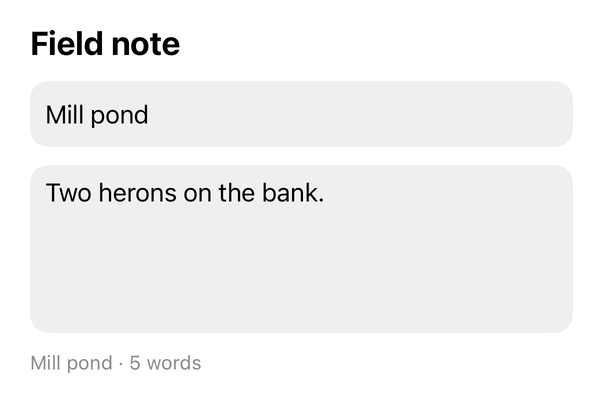
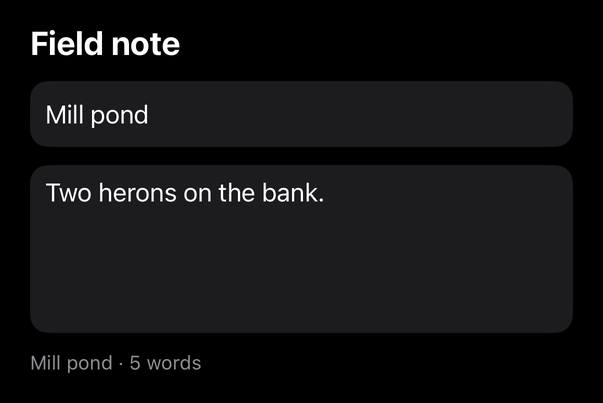
Give each control its own string in state and pass it back as text. Both controls send the edited string to on_change, including line breaks in the editor. In the field note, changing the place updates the caption and editing the observation changes its word count.
Use Return or keep writing
When someone presses Return in a field, on_change gets any last edit before on_submit gets the finished text. In an editor, Return starts another line. Keep the editor outside a vertical ScrollView or a list row.
Parameters
Parameter |
Default |
Meaning |
|---|---|---|
|
Required |
Hint shown when empty. |
|
Required |
Current string from state. |
|
Required |
Function receiving the committed string; update state here. |
|
|
Optional function receiving the string on Return. |
|
|
|
|
|
Trailing change delay; 0 delivers on the next tick. |
Common keywords |
|
Parameter |
Default |
Meaning |
|---|---|---|
|
|
Hint shown while the text is empty. |
|
Required |
Current string from state, at most 64 KiB of UTF-8. |
|
Required |
Function receiving the whole text; update state here. |
|
|
Trailing change delay; 0 delivers on the next tick. |
Common keywords |
|
Seen in
Run Tasks from Home’s Native UI section and open a task to try its Title field and Notes editor.