Using other modules in a window
Let someone edit a meeting point, check the directions and share them. Put each action on its own button so they can read the message before sending it.
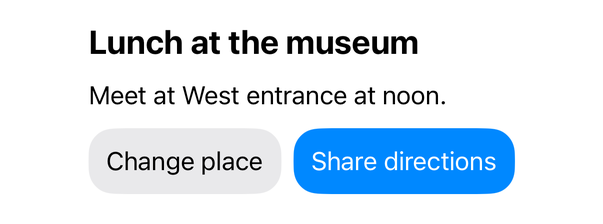
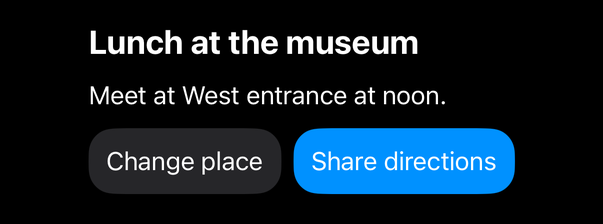
"""Choose a meeting point and share the directions."""

from dataclasses import dataclass

from juno import ui


@dataclass
class State:
    place: str = "West entrance"


state = State()


def edit():
    place = ui.prompt("Where shall we meet?", initial=state.place)
    if place and place.strip():
        state.place = place.strip()


def share():
    from juno import sharing

    sharing.share(text=f"Meet at {state.place} at noon.")


def body(s):
    return ui.VStack(
        ui.Text("Lunch at the museum", font="title2", weight="bold"),
        ui.Text(f"Meet at {s.place} at noon."),
        ui.HStack(
            ui.Button("Change place", on_press=edit, style="bordered"),
            ui.Button("Share directions", on_press=share, style="filled")),
        alignment="leading", spacing=12, padding=20)


if __name__ == "__main__":
    ui.run(body, state, title="Meeting point")
Compose the directions
Tap Change place and enter Clock room. The directions now say to meet at the Clock room at noon. Keep the place in state. Have both the label and the Share directions callback use it so they agree after an edit.
Tap Share directions to pass that message to the system share sheet. Dismissing the sheet takes you back to the window.
Choose a dialog or a photo
For a question, see Sheets and dialogs. For a choice of actions or a date, try action_sheet or pick_date. The other juno.dialogs functions you can call in a window are alert, confirm, input_alert, pick_time and pick_datetime.
For a picture from the library, use photos.pick. For the system share sheet, use sharing.share.
Put the call in a callback
In an open window, these seven dialog functions, the photo picker and the share sheet need a callback, a timer callback or on_appear. Calling them from body raises ui.UIError. While a dialog is open, window timers and other callbacks wait until it returns. Use the answer in the same callback before returning to the window.