Timers and long work
Count the different words in a booklet and show how many passages are finished. Try three short passages here, then use the same approach for a longer text.
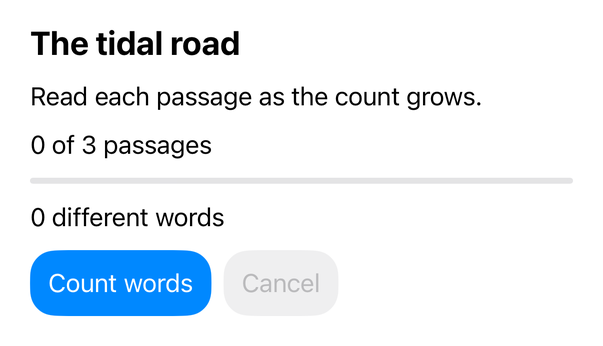
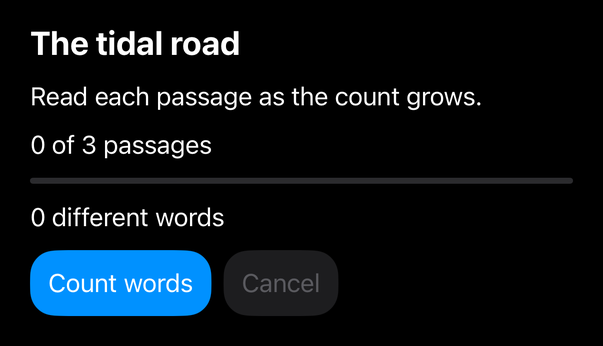
"""Count the different words in a booklet, one passage at a time."""

from dataclasses import dataclass, field

from juno import ui


READING_TIME_MS = 4000
PASSAGES = [
    "The tide uncovers the old road",
    "The road leads to a stone pier",
    "At high tide the pier stands alone",
]


@dataclass
class State:
    counted: int = 0
    words: set = field(default_factory=set)
    timer: ui.Timer | None = None


state = State()


def count_passage():
    passage = PASSAGES[state.counted]
    state.words.update(passage.lower().split())
    state.counted += 1
    if state.counted < len(PASSAGES):
        state.timer = ui.after(READING_TIME_MS, count_passage)
    else:
        state.timer = None


def start():
    state.counted = 0
    state.words.clear()
    state.timer = ui.after(0, count_passage)


def cancel():
    if state.timer is not None:
        state.timer.cancel()
        state.timer = None


def body(s):
    working = s.timer is not None
    return ui.VStack(
        ui.Text("The tidal road", font="title2", weight="bold"),
        ui.Text(PASSAGES[s.counted - 1] if s.counted else "Read each passage as the count grows."),
        ui.Text(f"{s.counted} of {len(PASSAGES)} passages"),
        ui.ProgressView(value=s.counted / len(PASSAGES)),
        ui.Text(f"{len(s.words)} different words"),
        ui.HStack(
            ui.Button("Count words", on_press=start, style="filled", busy=working),
            ui.Button("Cancel", on_press=cancel, style="bordered", disabled=not working)),
        alignment="leading", spacing=12, padding=20, width="fill", max_width=600)


if __name__ == "__main__":
    ui.run(body, state, title="Booklet index")
Count one passage per callback
Tap Count words to start. The finished count is three passages and fourteen different words.
ui.after schedules one callback after a delay in milliseconds. Even with a delay of zero, the callback runs on a later turn. Each callback adds one passage’s words to a set. The first step uses a zero delay. The next steps use a four-second delay so you have time to read each passage.
Show progress between passages
Juno redraws after a timer callback that leaves the window open. Divide the passages counted by the total for the progress bar. Keep its count beside it so someone can read the result at a glance.
A button with busy=True shows a spinner and ignores presses.
Cancel the next step
Keep the Timer returned by ui.after in state. Calling cancel on a pending timer prevents its callback from running.
Tap Cancel while the first passage is showing. The count stays at one passage and Count words becomes available again. Keep each step short so someone can cancel between passages. Clear the stored timer when you cancel or finish. Use that one value to decide when Count words looks busy and when Cancel is available.
See Text, images and progress for a spinner when the total is unknown.