State and callbacks
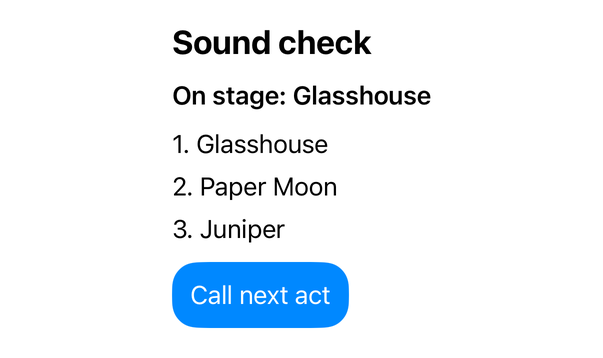
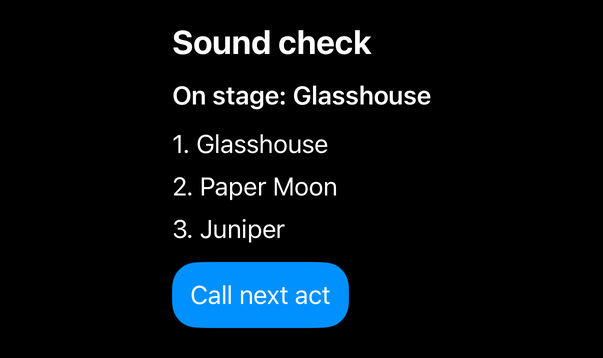
Give a sound engineer one button to call the next band. Use the same queue for the stage announcement and the running order.
"""Rotate a sound check queue and show who goes next."""

from dataclasses import dataclass, field

from juno import ui


@dataclass
class State:
    acts: list = field(default_factory=lambda: ["Glasshouse", "Paper Moon", "Juniper"])


state = State()


def next_act():
    state.acts.append(state.acts.pop(0))


def body(s):
    rows = [
        ui.Text(f"{place}. {act}", key=act)
        for place, act in enumerate(s.acts, start=1)
    ]
    return ui.VStack(
        ui.Text("Sound check", font="title2", weight="bold"),
        ui.Text(f"On stage: {s.acts[0]}", font="headline"),
        ui.VStack(*rows, alignment="leading"),
        ui.Button("Call next act", on_press=next_act, style="filled"),
        alignment="leading", spacing=12, padding=20)


if __name__ == "__main__":
    ui.run(body, state, title="Rehearsal")
Describe the queue
Keep the queue in an ordinary Python list. Create the state once, outside body, so drawing the screen again cannot reset the order. Juno calls body(state) to draw the first screen.
Keep body pure. Read the names and describe what belongs on screen. Make changes to the queue, write files or show dialogs in a callback. For setup that only needs to happen once, use on_appear. Juno calls it after the first screen appears.
Move one name
Pass next_act to the button without parentheses. Tap Call next act. Glasshouse moves to the end and Paper Moon appears both on stage and first in the queue.
When the callback returns with the window still open, Juno calls body again with the same state. If the callback closes the window, there is no final redraw.
Give each act a key
When views move within a stack, Juno can match each view to its old place by its key. Use the act’s name here because each name is unique and stays the same. Avoid the number beside the name. It belongs to a place in the queue and will soon refer to a different act.
See Buttons and menus for more actions and ui.run for the window’s starting point.